Explore the guides before launch. Purchases are not open yet.
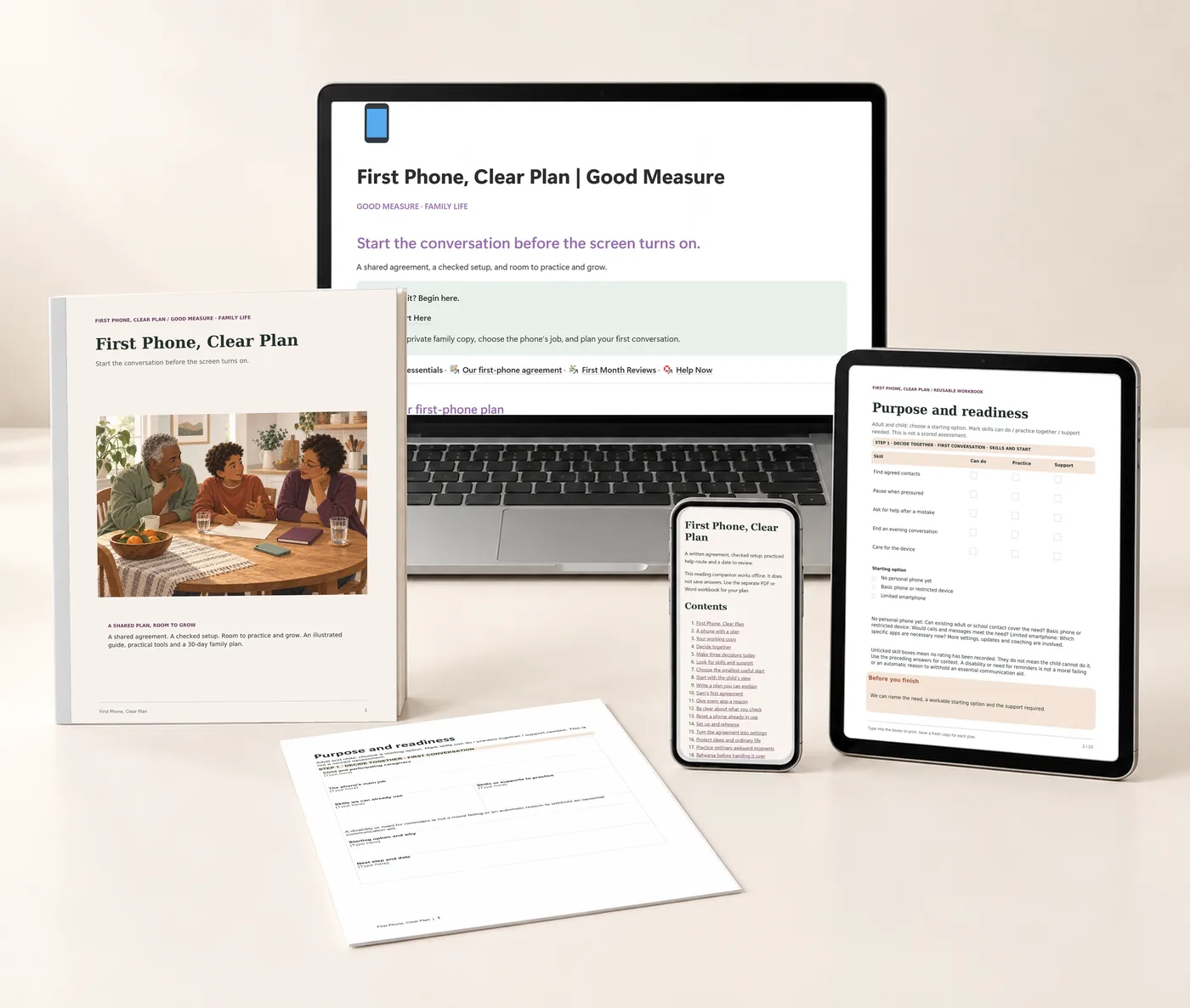
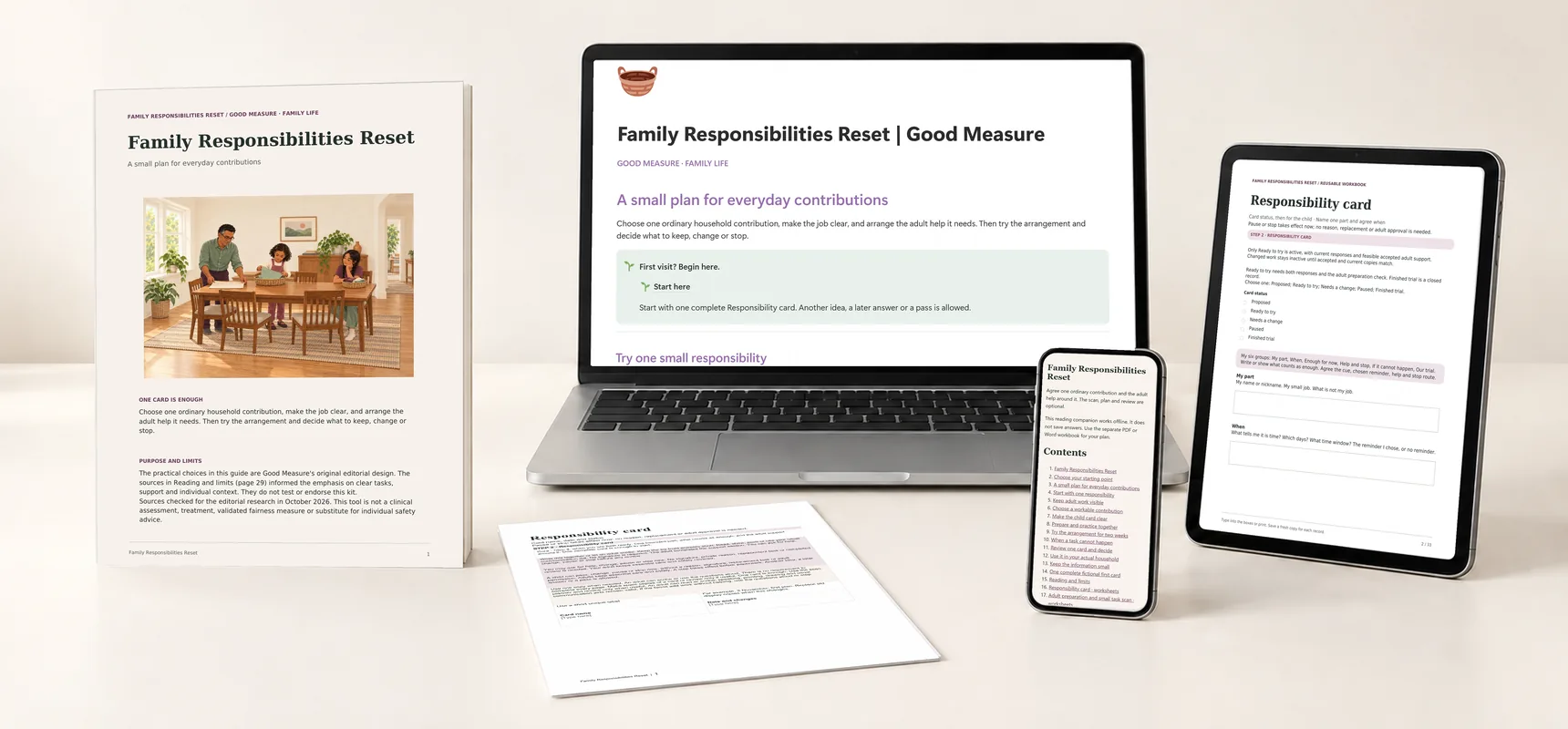
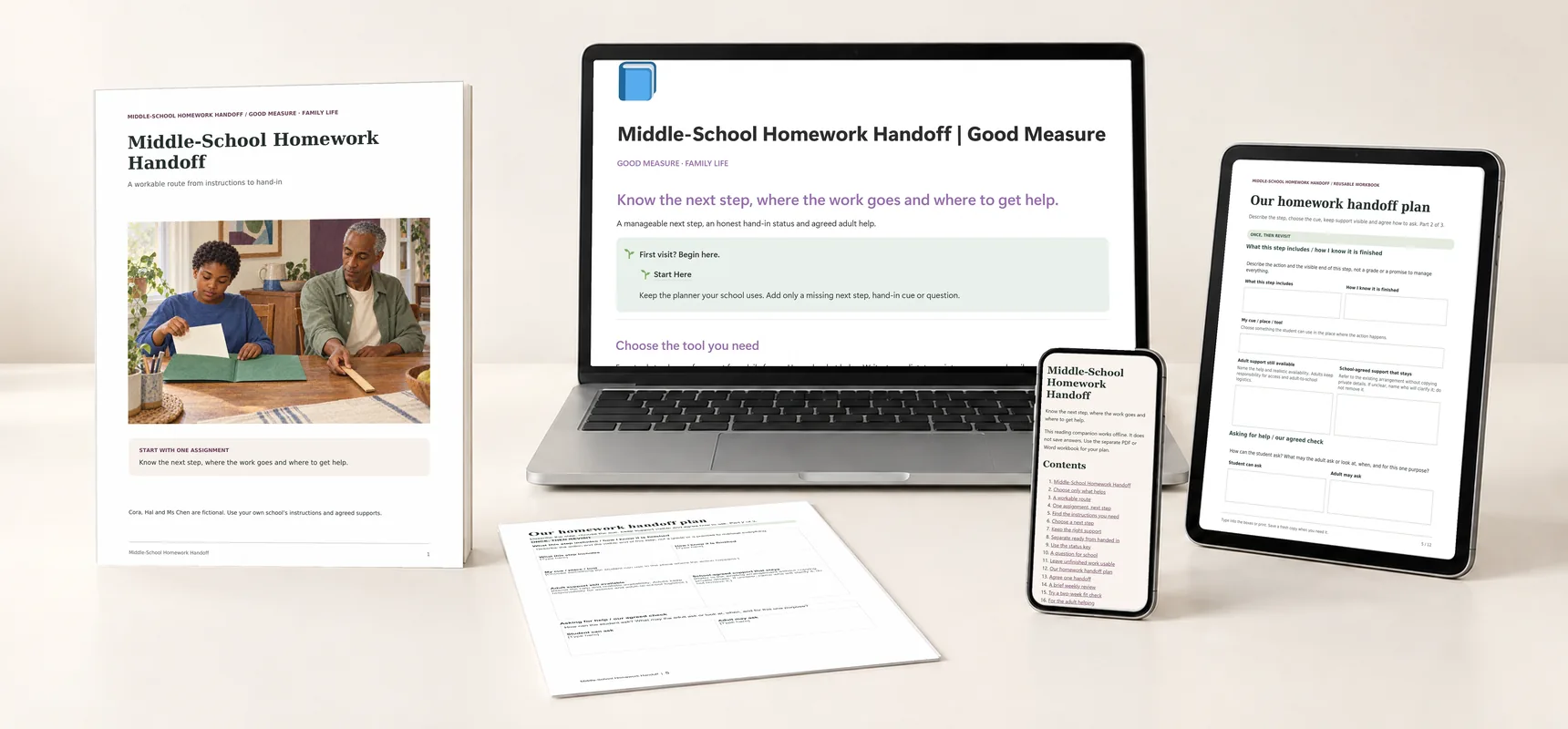
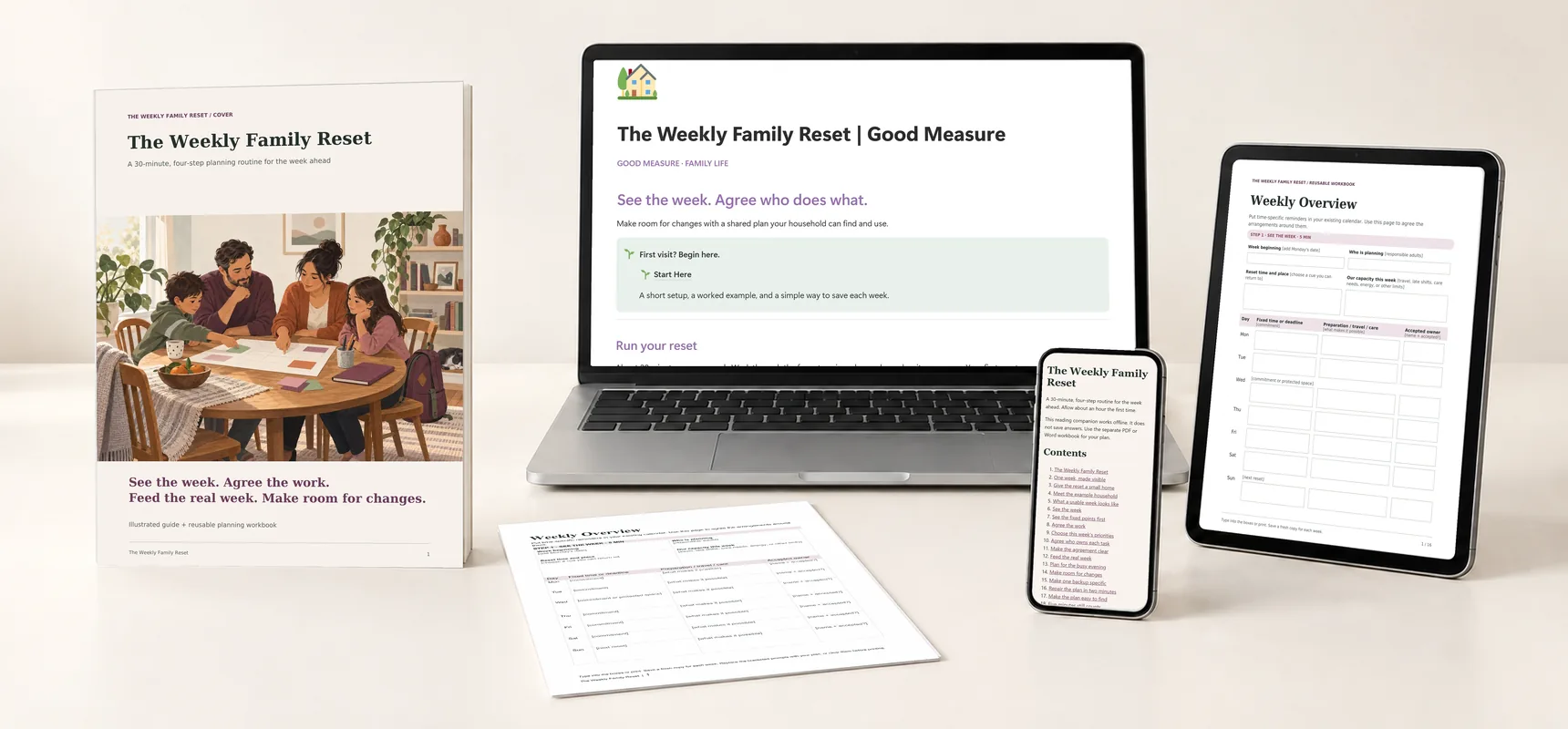
First Phone, Clear Plan: printed guide and worksheet, the Notion companion on a laptop, planning tools on a tablet and the offline reader on a phone.
A whole kit to find your own way.Real pages, tools and companion previews · Digital files only
Explore each part of the kit

First Phone, Clear Plan

A first phone, with a plan you make together.

$29 Proposed price · USD

Plan a first phone together with device setup, family expectations, and a review that leaves room to learn.

  • Notion companion · Template to duplicate
  • Illustrated guide · 46-page PDF
  • Reusable planning tools · 23-page fillable PDF · 118 fields
  • Editable workbook · Word document
  • Fictional worked examples · 23-page PDF
  • Quick reference · 3-page PDF
  • Apple setup companion · 11-page PDF
  • Offline reading companion · Offline HTML
  • Start Here handout · 4-page PDF + text instructions

The kit is ready to explore. Purchases open after final checkout and delivery setup.

For the weeks before the phone goes home.

Parents preparing a child's first phone, roughly ages 10–13.

A useful time to begin: first phone purchase.

Plan it together: a parent or caregiver and the child. Allow two short conversations and a separate device-setup session; the day 7, 14 and 30 reviews are flexible suggestions. Owning a phone does not have to include social media.

A conversation and planning tool, not a guarantee of online safety. Device settings work alongside ongoing, age-appropriate conversations.

One private place for the plan.

The Notion companion holds the same four steps in a private family copy you manage.

Start at the home page: decide together, set up and rehearse, keep help close, and keep adults connected. Then use First Month Reviews for days 7, 14 and 30.
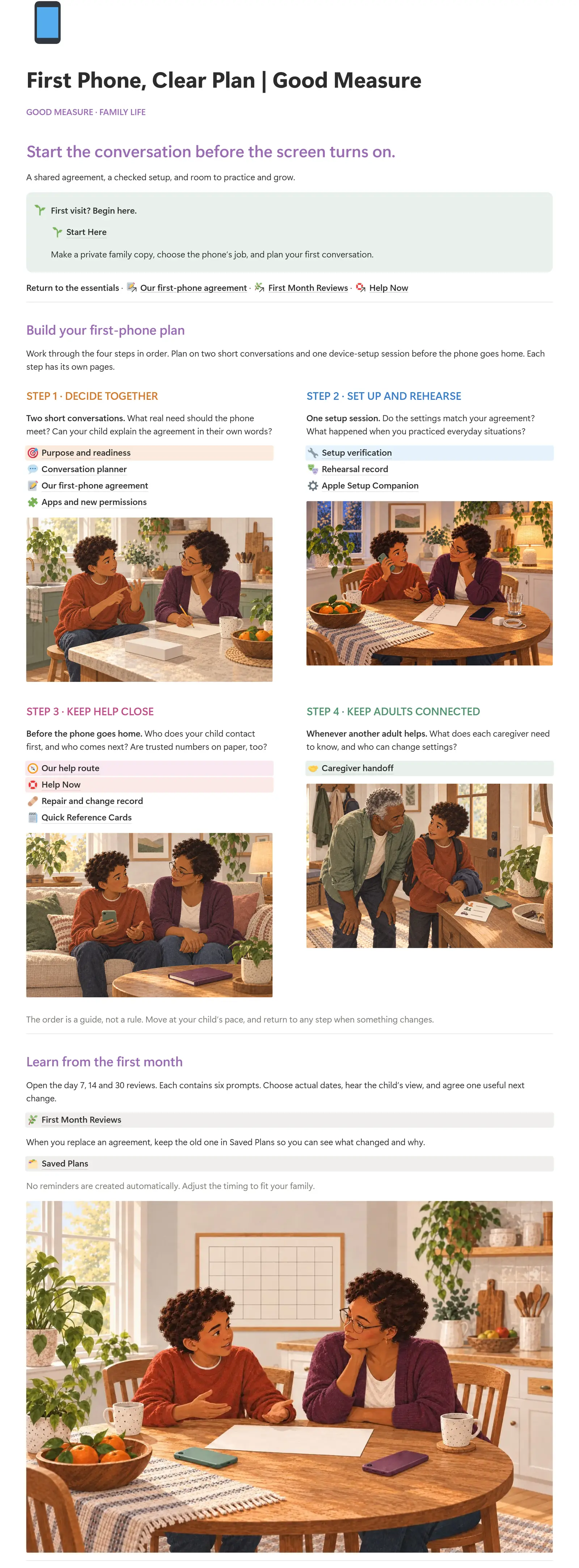
Actual Notion home page of First Phone, Clear Plan: the title, the Start Here callout and the first illustrated cardsEnlarge the dashboard
The actual Notion companion · Four steps and the first month
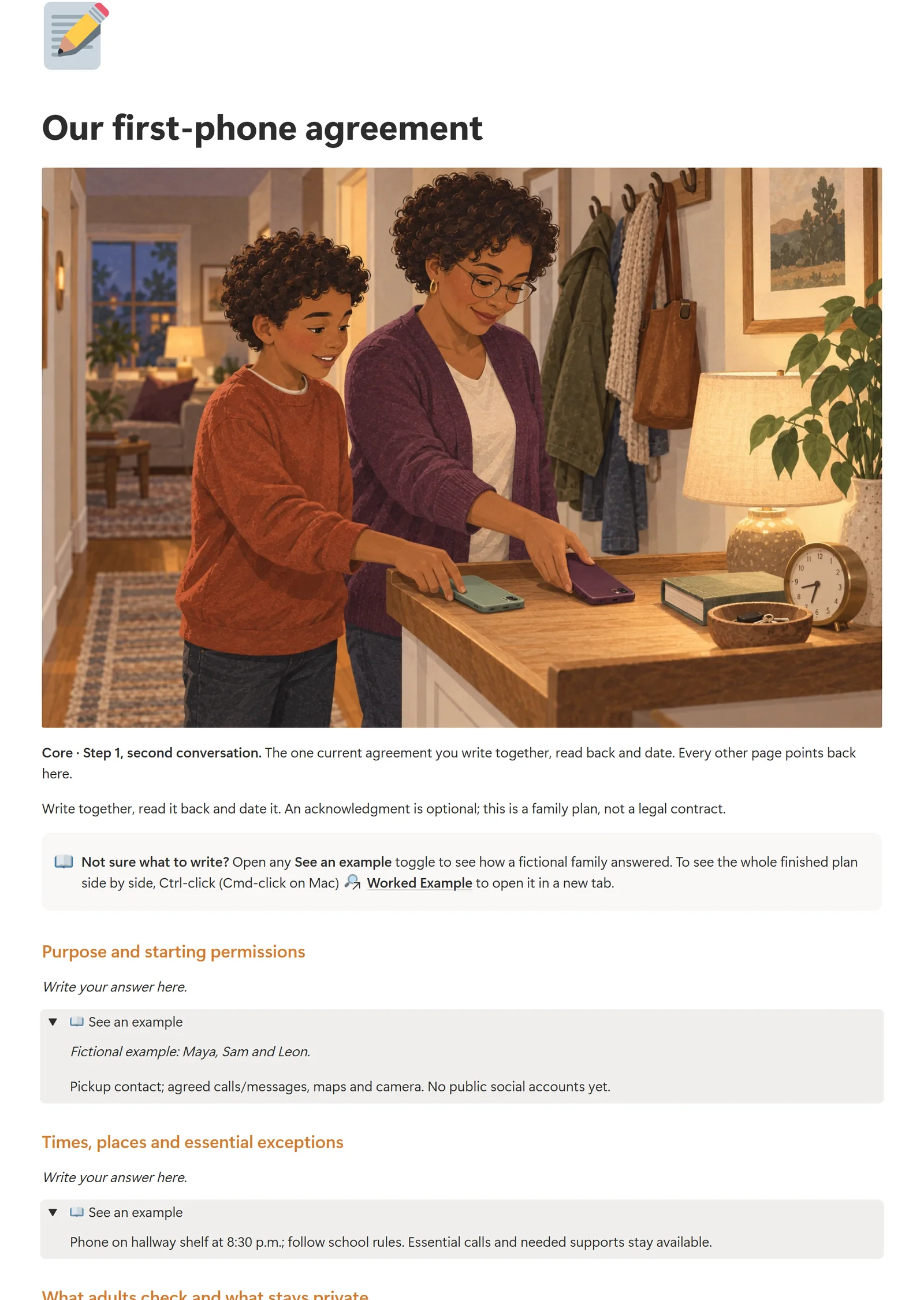
Actual Notion Our first-phone agreement page with fictional examplesEnlarge the agreement page
Our first-phone agreement with its example toggles open. Maya, Sam and Leon are a fictional family.

Write one agreement

Our first-phone agreement is the one current plan you write together, read back and date. Purpose and readiness, Conversation planner, and Apps and new permissions lead into it.

Keep help close

Our help route names who your child contacts first and next. Help Now sits on its own page, and Caregiver handoff shares only what another adult needs.

Learn from the month

First Month Reviews holds a Review Log for days 7, 14 and 30. Saved Plans keeps each replaced agreement, so you can see what changed and why.

Included with the complete kit, not a separate purchase. Requires your own Notion account; PDF and Word work without it. Your duplicate is your own copy. No reminders are created automatically, and nothing in Notion changes device settings.

Also in your kit.

Real pages from each included file, alongside the Notion companion. Open a preview to see the detail.
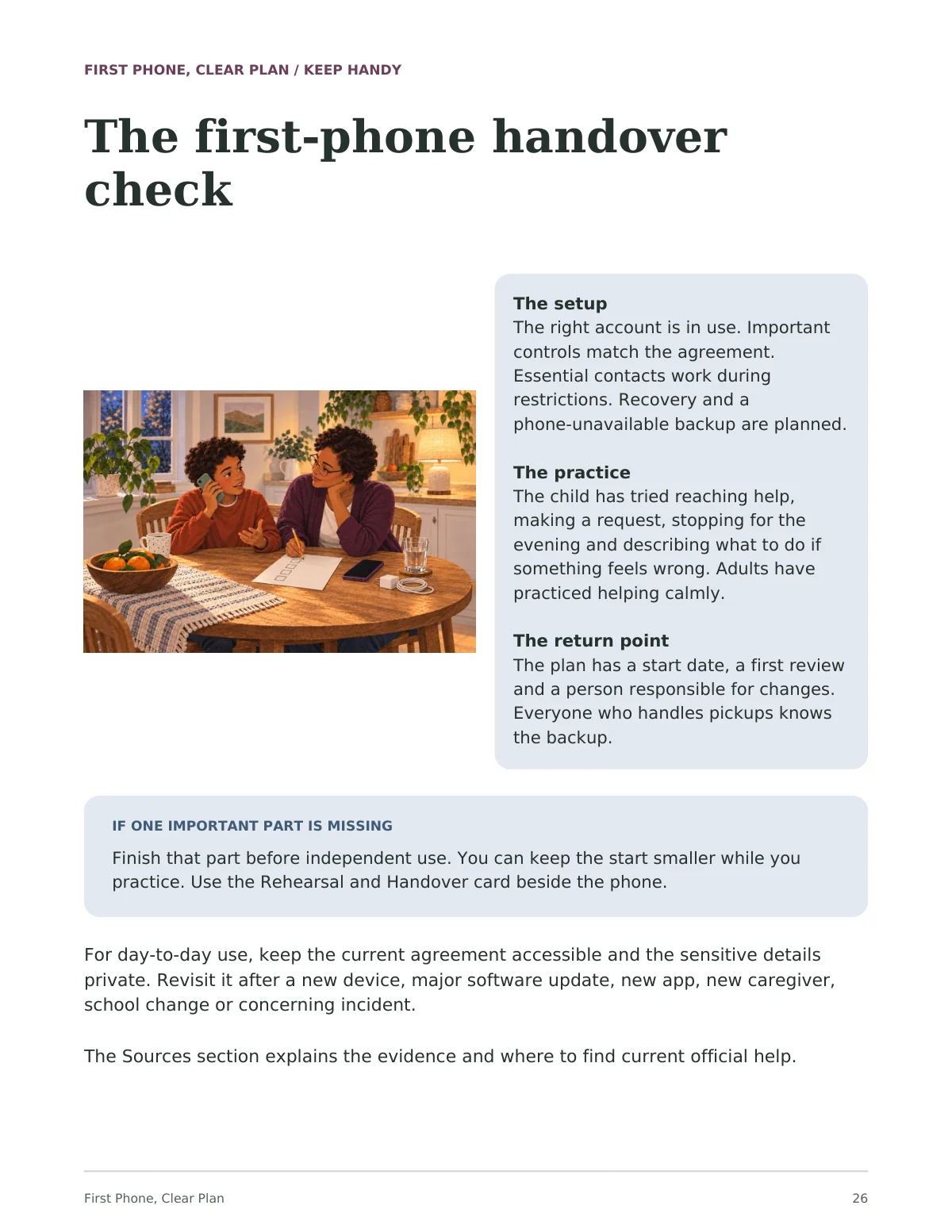
Guide page 26, 'The first-phone handover check': an illustration of Sam practising a call at the kitchen table while Maya ticks a checklist, beside a panel listing the setup, the practice and the return point, and a callout for when one important part is missing.
Illustrated guidePDFAn actual interior page from the 46-page guide.
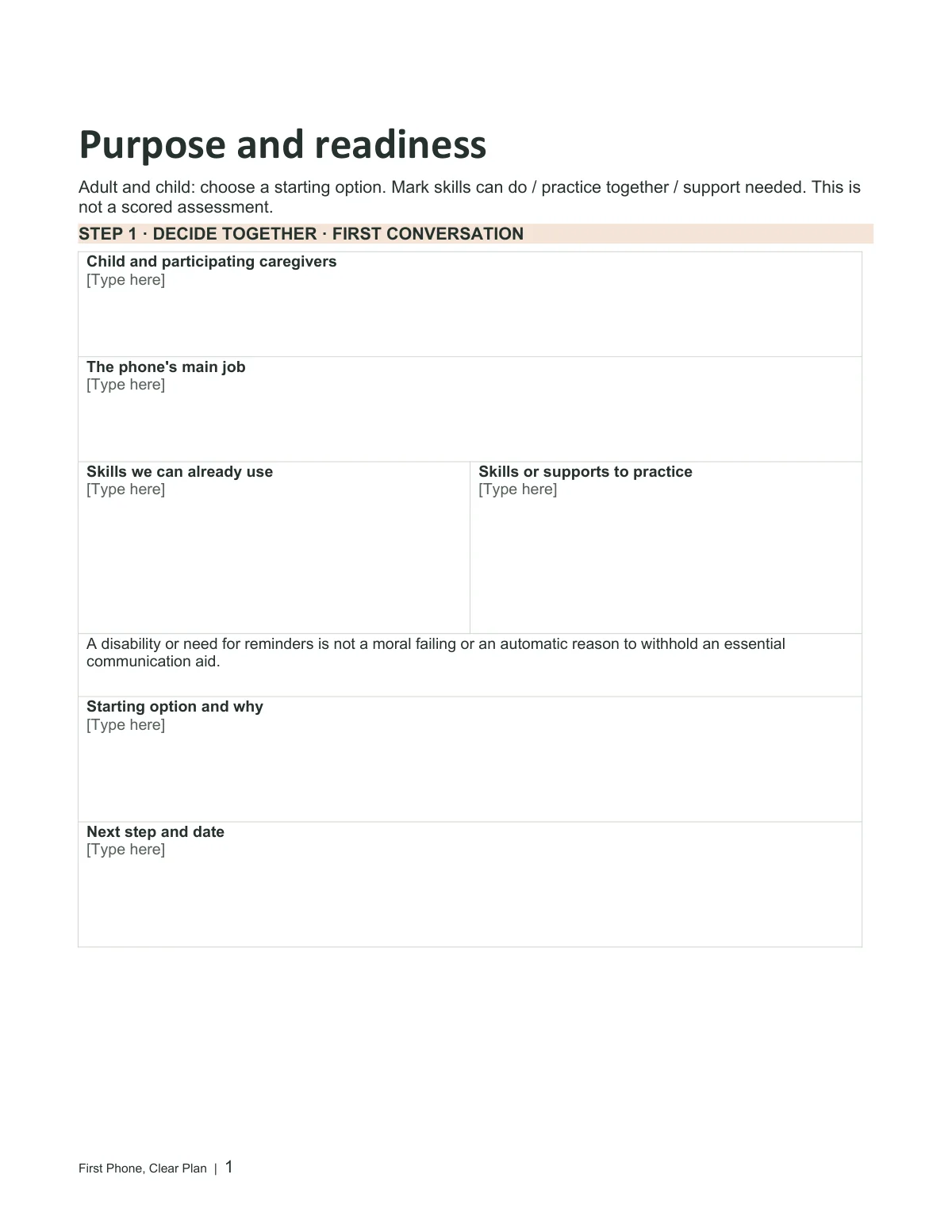
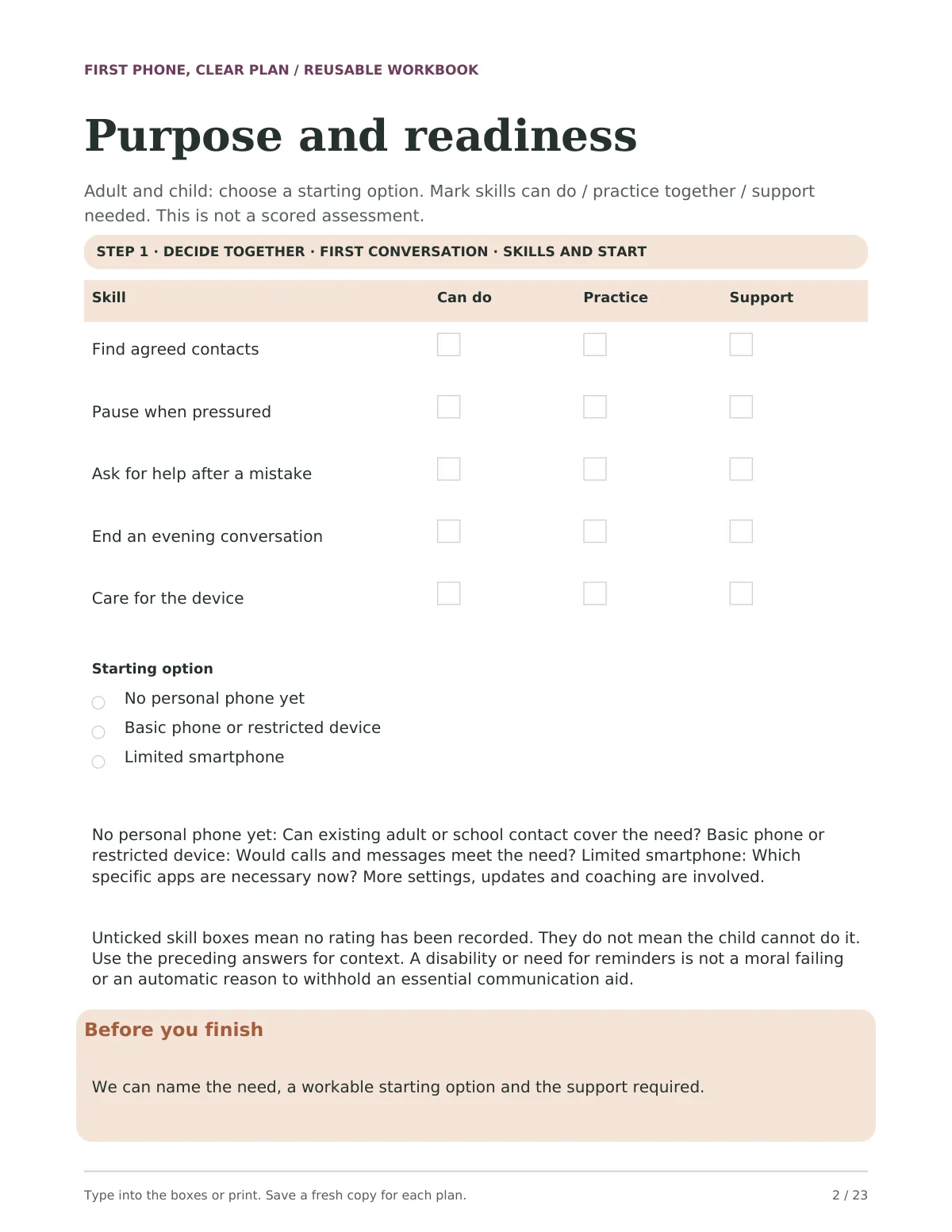
Blank Purpose and readiness worksheet: a grid of five skills, such as finding agreed contacts and pausing when pressured, each with Can do, Practice and Support checkboxes, then a starting-option choice of no personal phone yet, a basic or restricted device, or a limited smartphone.
Reusable planning toolsFillable PDFA sample of the separate reusable tools. Use a form-capable PDF reader to type, or print a copy.
The Purpose and readiness sheet rendered from the editable Word workbook.
Editable toolsWord · .docxRendered from the actual editable Word file. Fonts and pagination may vary by editor.
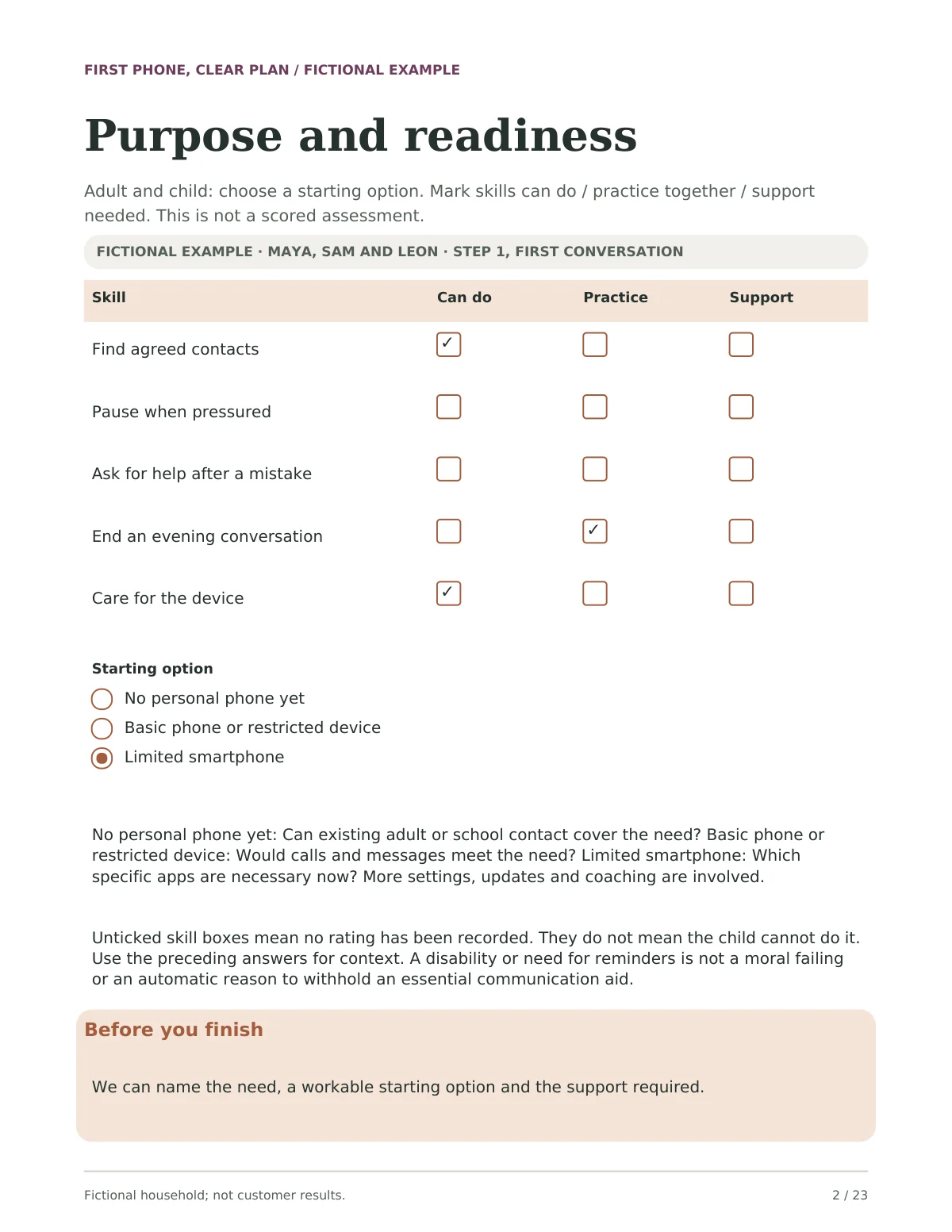
Purpose and readiness from the Worked Example, completed for the fictional Maya, Sam and Leon: two skills ticked Can do, ending an evening conversation ticked Practice, and Limited smartphone chosen as the starting option.
Fictional worked examplesPDFA sample from the separate fictional example file. Maya, Sam and Leon are a fictional family, not customer results.
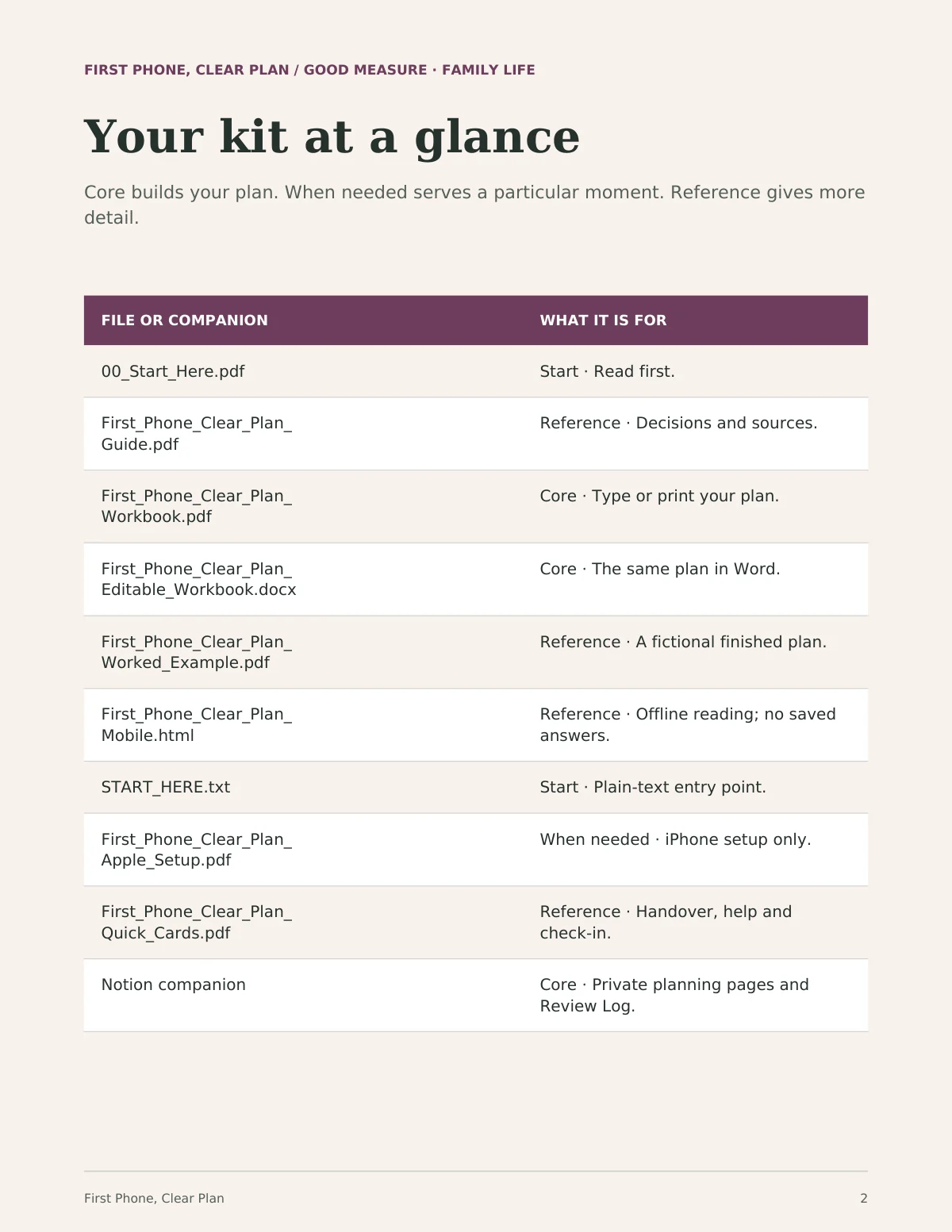
Page 2 of the Start Here handout, 'Your kit at a glance': a table of every file and the Notion companion, each marked Start, Core, When needed or Reference, with what it is for.
Start Here handoutPDF + text instructionsThe setup handout shows what each file is for and which ones you need.
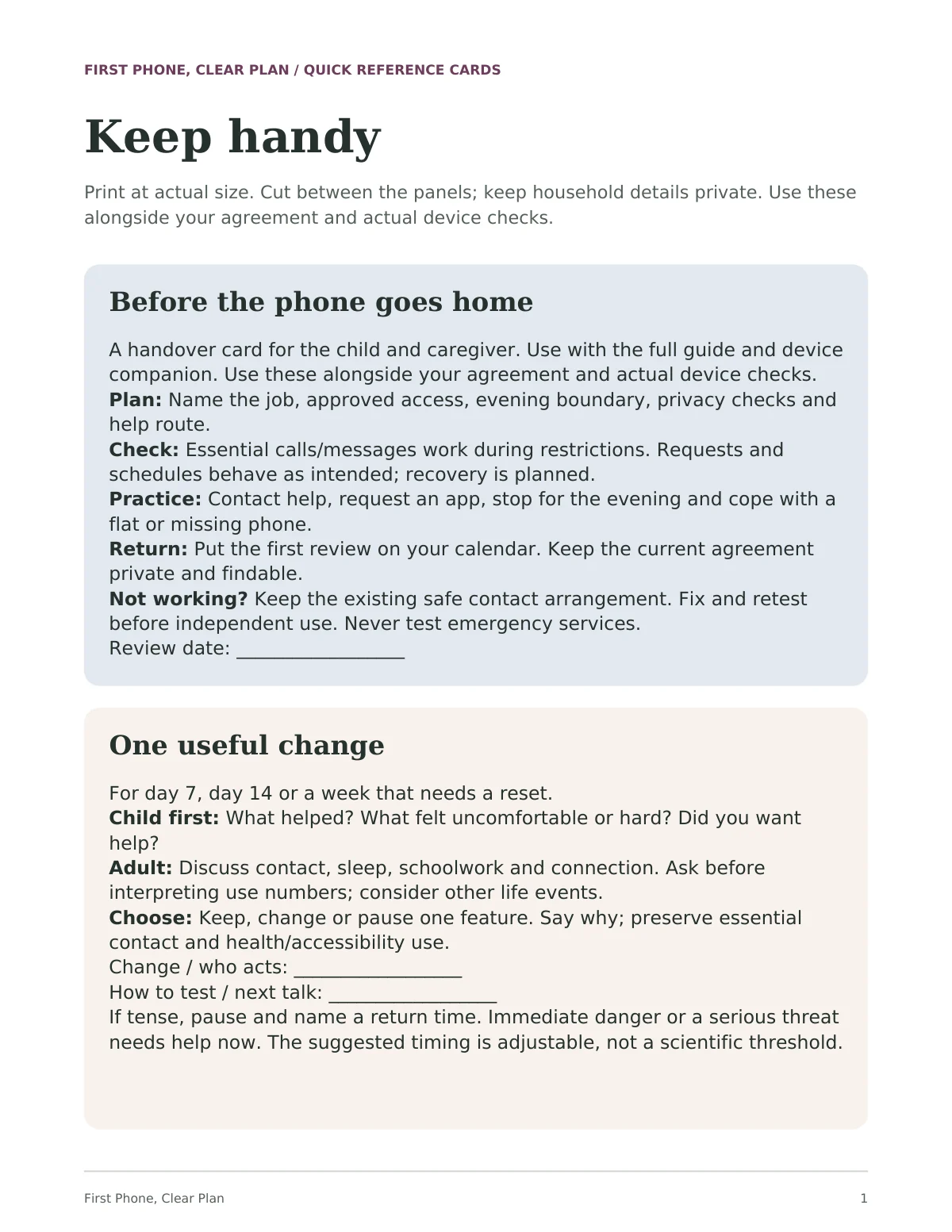
Quick reference cards page 1, 'Keep handy': a blue 'Before the phone goes home' handover card (plan, check, practice, return) and a cream 'One useful change' check-in card.
Quick referencePDFA sample of the separate reference cards for returning to the useful prompts.
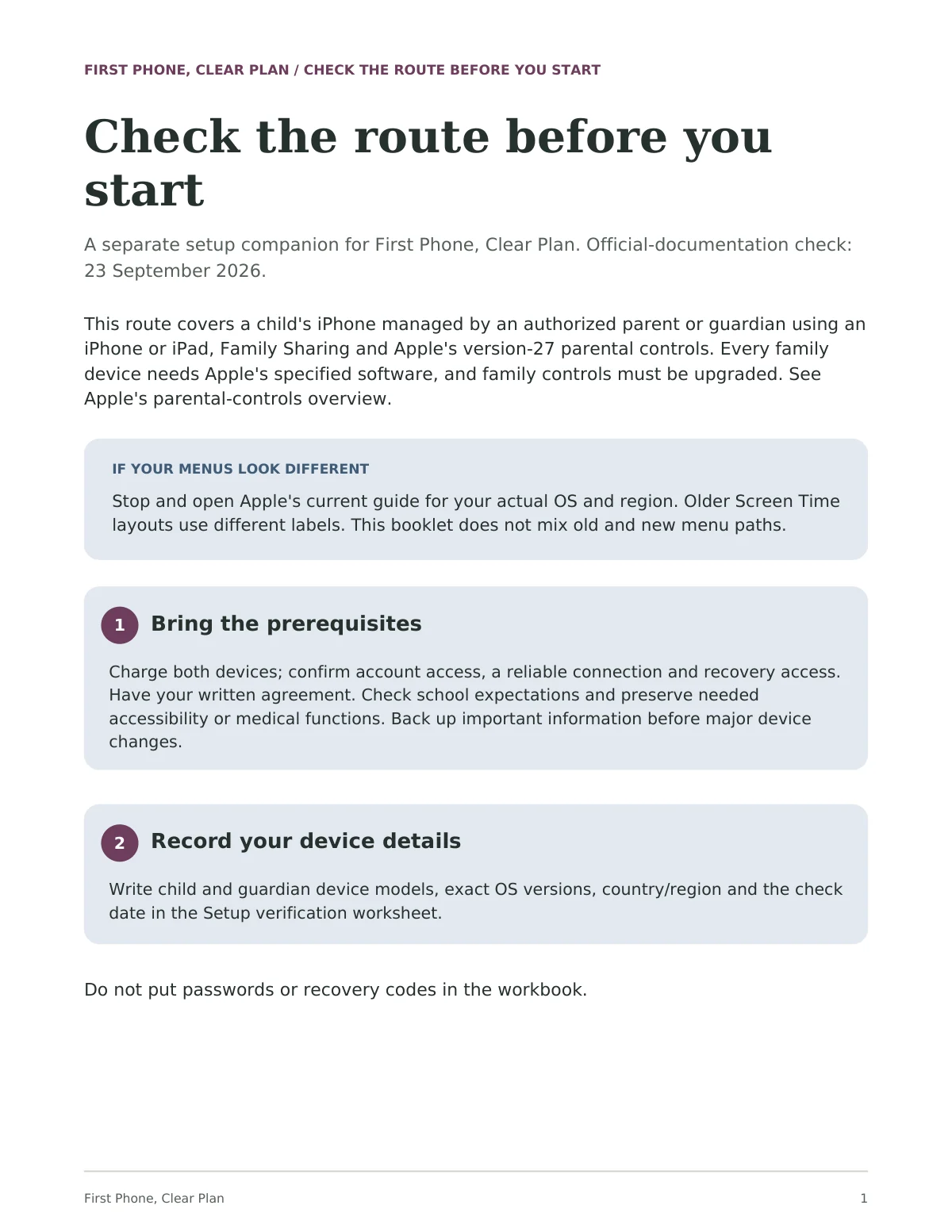
Page 1 of the Apple setup companion, 'Check the route before you start': its scope (a child's iPhone managed through Family Sharing, official-documentation check 23 September 2026), a callout for when menus look different, and two numbered steps.
Apple setup companionPDFAn actual page from the separate Apple setup companion. It was checked against Apple's documentation, not on a device; check your current settings when using it.
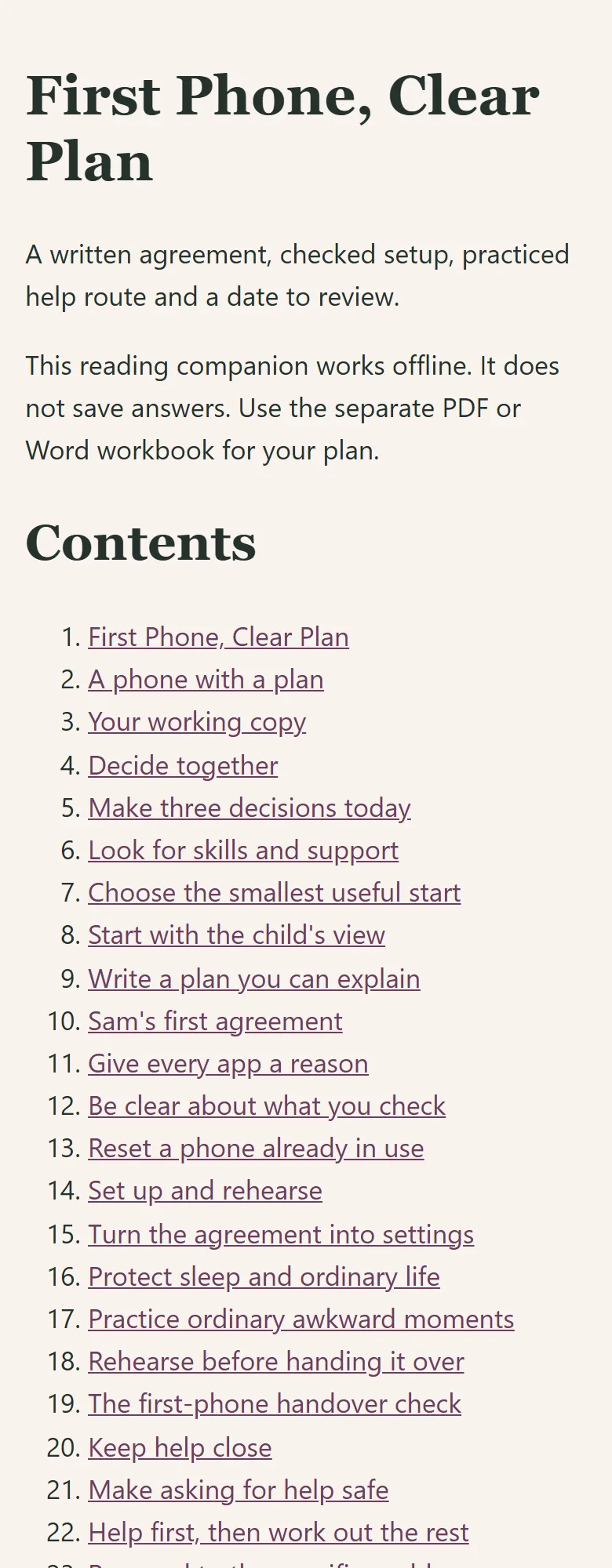
The offline reading companion for First Phone, Clear Plan at a narrow browser width.
Offline reading companionHTMLThe actual offline HTML file at a narrow browser width. This companion is for reading; it does not save answers.

First Phone, Clear Plan · Kit preview

Actual Notion home page of First Phone, Clear Plan: the title, the Start Here callout and the first illustrated cards

Open full-size image in a new tab

One kit. Your way to use it.

Start with one useful task, then choose the format that fits. You don’t need to use every tool.

These formats exist in the current review edition. Customer delivery and release checks are still in progress.

  • Notion companion

    The four step pages, First Month Reviews, Help Now and a fictional worked example in your own Notion account. Independent customer-copy and access checks are still in progress.

    Template to duplicate
  • Illustrated guide

    Read the approach, examples and scope of the current edition. Sources are listed on the last three pages.

    46-page PDF
  • Reusable planning tools

    Twelve blank worksheets, from Purpose and readiness to the Day 30 review, separate from the fictional examples. Choose only what helps.

    23-page fillable PDF · 118 fields
  • Editable workbook

    The same twelve worksheets in Word, so you can change labels and add room.

    Word document
  • Fictional worked examples

    Completed examples show how the tools fit together. These are not customer results.

    23-page PDF
  • Quick reference

    Short reminders to return to when needed: handover, help and check-ins.

    3-page PDF
  • Apple setup companion

    A dated setup reference for a child's iPhone managed through Family Sharing. Checked against Apple's documentation on 23 September 2026, not on a device.

    11-page PDF
  • Offline reading companion

    A reading format for the guide, the Apple companion, the quick cards and the worksheets. It does not save typed answers.

    Offline HTML
  • Start Here handout

    Your first action, what each file is for, and how to save and return to your plan.

    4-page PDF + text instructions

Four steps, at your child's pace.

  1. 01. Decide togetherTwo short conversations: the phone's real job, and an agreement your child can explain
  2. 02. Set up and rehearseOne setup session: settings that match the agreement, then practice
  3. 03. Keep help closeA first contact, a backup, and trusted numbers on paper, before the phone goes home
  4. 04. Keep adults connectedWhat each caregiver needs to know, and who can change settings

The order is a guide, not a rule. Days 7, 14 and 30 are suggested check-in times; use actual dates and your own calendar reminders.

Before you begin.

Who is this guide for?

Parents preparing a child's first phone, roughly ages 10–13.

Can I buy this guide yet?

This edition is available to preview while review and delivery checks are completed. Purchases are not open yet; the proposed price may change before release.

What is outside its scope?

A conversation and planning tool, not a guarantee of online safety. Device settings work alongside ongoing, age-appropriate conversations.

Which formats can I use?

Use the fillable PDF in a compatible reader, print it, or use the editable Word files. Save, close and reopen a copy to check your answers. The offline HTML companion is for reading and does not save answers. Notion is optional and requires your own account; its customer-copy route is still being checked. Keep your working copy private and check sharing before adding information. Follow the kit's specific consent and privacy instructions.

A place to start, and start again.

First Phone, Clear Plan · Complete Kit

Explore the family guides

Explore another useful starting point.

See the collection